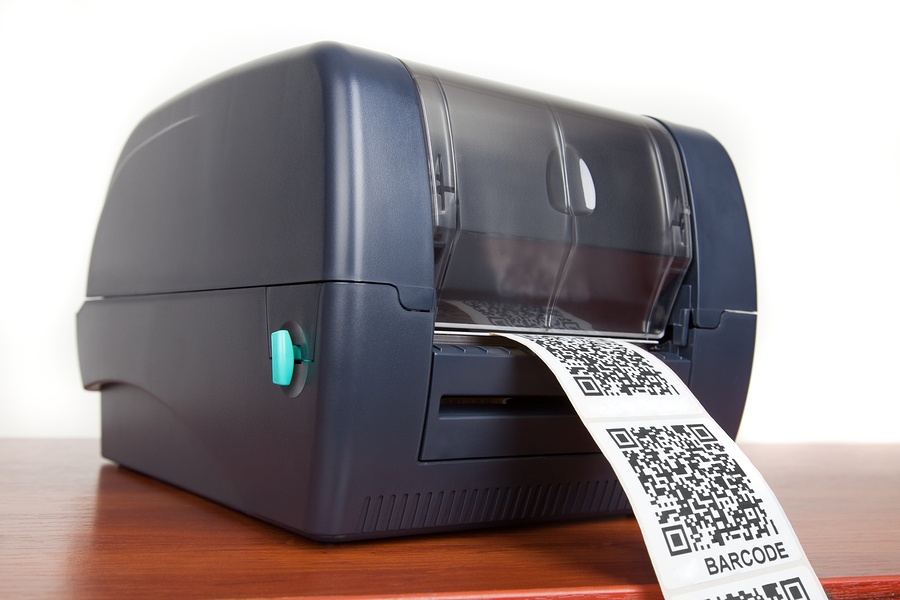
 Thermal /TTR Printers are leading the growth of print in areas such as manufacturing, distribution, and retail sectors, mainly for labels, barcodes, and tags of all types. The healthcare industry, an industry that will only continue to grow as populations increase and people are living longer, have also found that thermal printers are a great way to keep patient records organized and important information up to date. Here are some maintenance tips to keep your thermal printer operating at top efficiency.
With many thermal printers you can adjust certain settings that are related to the quality and the speed of the print job in question. In general, faster and higher-quality printing is going to put mo10bre wear and tear on the machine. If you find that the performance of the settings outstrips your current needs, you may be able to reduce the strain on your thermal printer and extend its life by adjusting the settings accordingly.
When not in use, cover the printer and keep it out of high-traffic areas
Sometimes the smallest details can make a big difference when it comes to sensitive technology. Many thermal printers are located in areas where significant dust and debris can accumulate, potentially wreaking havoc on the small parts of the printer. Always keep your thermal printer covered when it isn’t in use, and try to position it away from heavy foot traffic or machinery when possible to reduce the risk of accidental damage.
Clean the printer head and inside of the printer frequently
Printer heads for thermal printers are notoriously sensitive, and cleaning them regularly is a crucial step in maximizing their lifespan. The manufacturer’s instruction manual should include information on safely cleaning the printer head. Abrasive materials could damage the head, so remember to always clean it with a soft cloth. It’s also important to gently wipe the inside of the printer to minimize dust and other particles building up inside. Proper cleaning of the head and the printer will increase the quality of your print jobs and help you get the most out of your investment.
Use high-quality supplies
When it comes to the media you’ll be using with your thermal printer, it pays to purchase high-quality products, specifically those that are recommended by the manufacturer or dealer. Cheap labels often use substandard adhesive, and they can also be a source of debris building up inside the machine.
If you need a printer repair professional, Great Lakes Computer Corporation can service, maintain, and provide supplies for your thermal printers. We offer on site or depot repair, as well as Managed Print services.

 Whether you’re starting a new business, or your current one is in a growth period, a well-constructed office network is going to be a boon to your productivity. Your computer network needs to be built with your particular requirements in mind. There isn’t a great one-size-fits-all solution. Best practices for SMB network setup say you need to start with a thorough plan. Here are some issues to consider when planning your network implementation:
 In business, your data is just as valuable as your income. In small to medium-sized businesses, this is just as true for you as big business, if not more so. Customers are trusting you over larger operations that have more resources. But, just because you don’t have a huge budget, doesn’t mean you need to sacrifice the security of your data. There are a wide range of storage options with an equally wide range in ticket price. With so many options, how can you decide which is right for you?